Cross-Platform App Development: Pros, Cons, and Best Tools
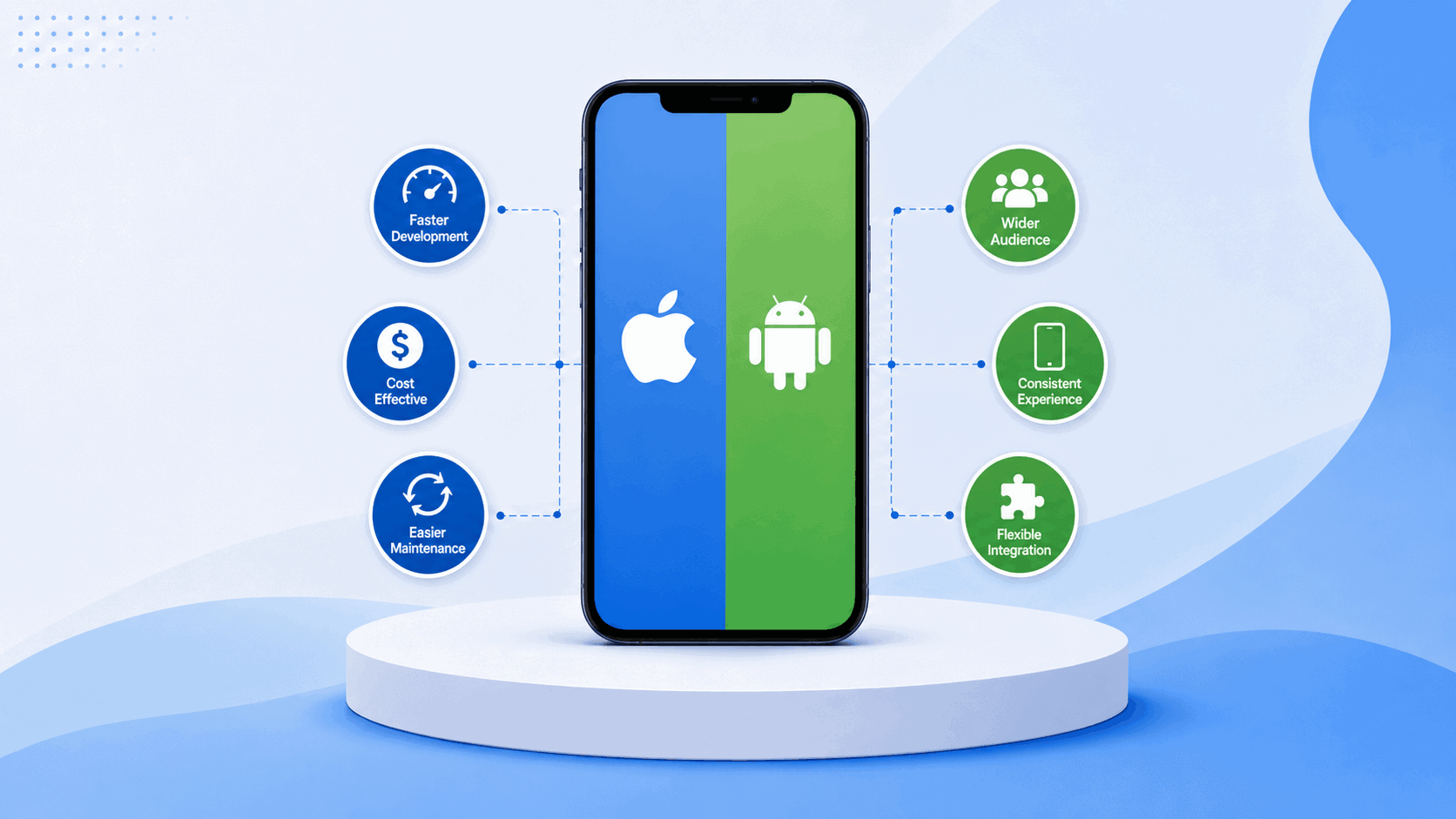
Cross-platform app development allows businesses to create applications for multiple operating systems using a largely shared codebase. Instead of building entirely separate apps for iOS and Android, development teams can reuse code, components, and business logic across both platforms.
For many businesses, this can mean a faster launch, lower development costs, and simpler long-term maintenance. However, sharing code does not eliminate every platform-specific challenge. Performance requirements, device integrations, user experience, security, and the skills of the development team can all affect whether a cross-platform approach is the right choice.
This guide explains the advantages and disadvantages of cross-platform development, compares popular mobile development tools, and outlines how to choose the most suitable approach for your application.
Topic Breakdown
What Is Cross-Platform App Development?
Cross-platform app development is the process of creating an application that can run on more than one operating system from a largely shared codebase.
Depending on the framework, a development team may use one project to create applications for:
✅ Apple iOS
✅ Google Android
✅ Web browsers
✅ Windows
✅ macOS
✅ Other desktop environments
The amount of shared code varies between technologies. Some frameworks allow teams to share most of the application, including the user interface. Others focus on sharing business logic, data handling, networking, and application services while retaining separate native interfaces.
For example, Flutter supports applications across mobile, web, and desktop from one codebase. Kotlin Multiplatform gives developers more flexibility by allowing them to share selected parts of an application while continuing to use native technologies where needed.
Cross-platform development is therefore not a single technical method. It is a broader development strategy supported by different frameworks, languages, and approaches to code sharing.
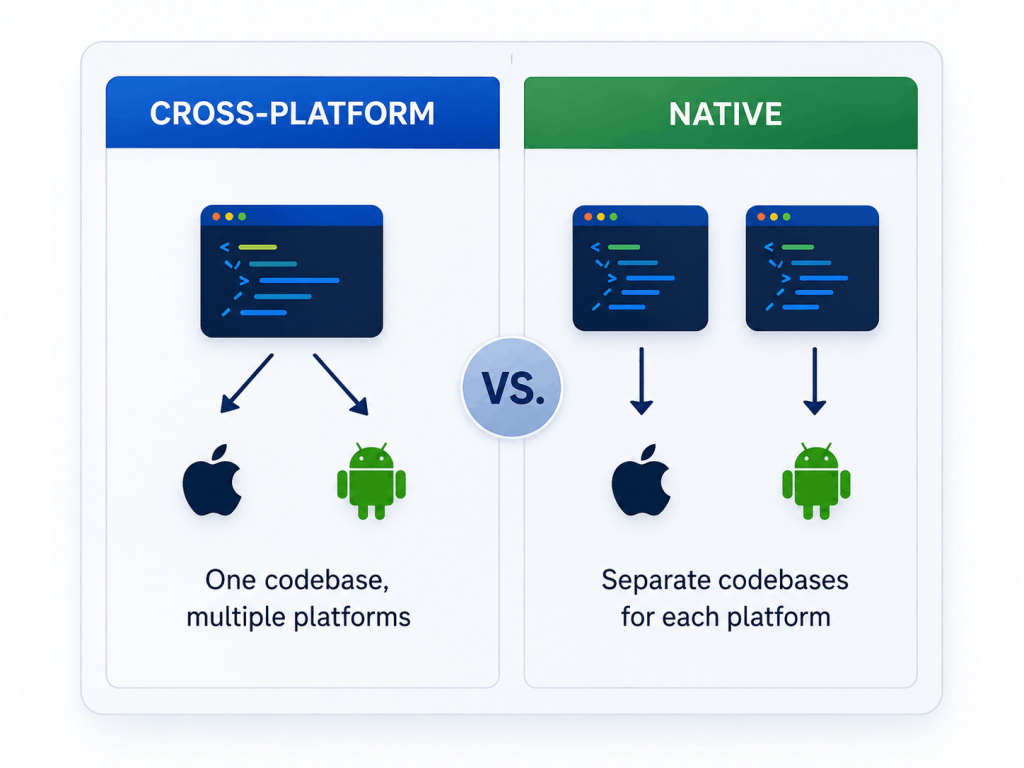
Cross-Platform vs. Native App Development
Native app development involves building an application specifically for one operating system.
An iOS application is commonly created using Apple-focused languages and development tools. An Android application is built using technologies supported by the Android ecosystem. When a business needs to support both platforms, it may require separate codebases and developers with different areas of expertise.
Cross-platform development reduces some of this duplication by allowing developers to reuse code across multiple platforms.
Area
Cross-Platform Development
Native Development
Codebase
Mostly shared
Separate for each platform
Initial development
Often faster for multi-platform releases
Usually requires more platform-specific work
Cost
Can reduce duplicated development effort
Often costs more when supporting multiple platforms
Performance
Can be strong, depending on the framework, architecture, and integrations
Provides direct platform access and greater control over platform-specific optimization
User interface
Shared with platform-specific adjustments
Designed specifically for each operating system
Device features
Accessed through framework APIs, plugins, or native code
Direct access to platform APIs
Maintenance
Shared features can be updated centrally
Changes may require separate implementation
Neither approach is automatically better.
The right choice depends on what the application needs to do, which platforms it must support, how quickly it needs to launch, and how much platform-specific control the product requires.
Some businesses may also need to consider whether they require a mobile app at all. A responsive web application may be more practical for certain products, while others benefit from app-store distribution, offline access, push notifications, and deeper device integration.
Using shared code can reduce the amount of duplicated work required to support both iOS and Android.
Developers may be able to build common features such as authentication, data handling, navigation, API integrations, and business logic once and reuse them across platforms. This can help a business release an initial product sooner than it could with two fully separate native projects.
A faster launch can be particularly useful when:
✅ Testing a minimum viable product
✅ Entering a competitive market
✅ Releasing an internal business application
✅ Validating demand before making a larger investment
✅ Supporting a time-sensitive service or campaign
The actual time savings depend on the application. Products with extensive native hardware requirements or highly different platform experiences may still require substantial platform-specific development.
2. Reduced Development Costs
Cross-platform development can reduce costs by limiting the need for two completely separate development teams and codebases.
A business may be able to use one core team to build and maintain both versions of an application. Shared components can also reduce duplicated work involving feature development, bug fixes, design updates, and testing.
This does not mean the cost will be cut exactly in half.
Teams must still test the application across different devices, operating systems, screen sizes, and software versions. Some integrations may also require native development.
The main financial benefit comes from reducing unnecessary duplication, not eliminating platform-specific work entirely.
3. Easier Maintenance
A shared codebase can make ongoing maintenance more manageable.
Developers may be able to make a change once and apply it across multiple versions of the application. This can simplify:
✅ Security updates
✅ API changes
✅ Design-system improvements
✅ Feature updates
✅ Analytics implementation
✅ Bug fixes
✅ General technical maintenance
Centralized development can also reduce the risk of the iOS and Android versions gradually becoming inconsistent.
Some updates will still require separate implementation or testing, especially when Apple and Google handle permissions, app-store requirements, device capabilities, or operating-system behavior differently.
4. More Consistent Features and Branding
Cross-platform frameworks can help businesses maintain consistent functionality and branding across devices.
Shared interface components can help keep colors, typography, forms, navigation, and other design elements aligned. Users receive a recognizable experience regardless of the device they use.
Consistency should not mean ignoring platform conventions.
An interface that works well on Android may still need adjustments for iOS navigation patterns, gestures, accessibility expectations, or screen behavior. A strong cross-platform design system preserves the brand while respecting the conventions of each operating system.
5. Access to a Wider Audience
Launching on both major mobile platforms allows a business to reach a broader potential audience.
A cross-platform approach can make simultaneous or closely timed releases more practical. The business does not have to launch on one operating system while leaving another group of users waiting for a separate version.
This can be valuable for applications whose success depends on broad adoption, including:
✅ Customer service apps
✅ E-commerce platforms
✅ Booking systems
✅ Membership applications
✅ Communication tools
✅ Employee apps
✅ Event and community platforms
6. More Flexible Development Teams
Many cross-platform frameworks use languages and development concepts that are already familiar to web or enterprise developers.
React Native uses React with JavaScript or TypeScript. Ionic uses standard web technologies. .NET MAUI uses C# and XAML. This can make it easier for some businesses to use existing technical skills instead of building completely separate platform teams.
However, cross-platform developers still need a strong understanding of mobile development.
Building a reliable mobile application requires knowledge of:
✅ Device permissions
✅ App-store deployment
✅ Responsive design
✅ Mobile security
✅ Offline conditions
✅ Platform-specific testing
✅ Accessibility
✅ Notifications and background behavior
Using familiar programming languages does not remove the need for mobile expertise.
Disadvantages of Cross-Platform App Development
1. Some Features Still Require Native Code
A cross-platform framework may not provide immediate support for every new device feature, third-party SDK, or operating-system update.
Applications that depend on specialized hardware, advanced background processing, Bluetooth devices, sensors, augmented reality, or other platform-specific capabilities may still require native code.
Frameworks such as React Native and Capacitor allow developers to connect shared application code with native platform functionality. However, teams may still need Swift, Objective-C, Kotlin, or Java expertise when a reliable plugin is unavailable.
This means cross-platform development does not completely remove the need for native knowledge.
2. Performance May Require Additional Optimization
Modern cross-platform frameworks can deliver strong performance for many consumer and business applications.
However, highly demanding products may still benefit from native development or platform-specific optimization.
Potentially challenging use cases include:
✅ Graphics-intensive games
✅ Real-time video processing
✅ Complex animations
✅ Large-scale data visualization
✅ Continuous background activity
✅ Applications using several hardware components at once
✅ Products with strict latency requirements
The framework is only one factor that affects performance.
Application architecture, API response times, image handling, state management, database usage, and code quality can be equally important.
A cross-platform application should therefore be evaluated through prototyping and performance testing rather than assumptions.
3. Platform-Specific User Experience Can Be Harder to Achieve
Apple and Google use different interface conventions.
Navigation, menus, buttons, permissions, typography, gestures, and system behavior may differ between iOS and Android. Using exactly the same interface on both platforms can make the application feel unfamiliar or awkward to some users.
Designers and developers must decide which elements should remain consistent and which should adapt.
This may require:
✅ Platform-aware interface components
✅ Conditional layouts
✅ Different navigation behavior
✅ Platform-specific icons
✅ Separate implementation for selected interactions
Cross-platform development works best when consistency and native usability are balanced carefully.
4. Framework Dependencies Create Technical Risk
Cross-platform projects depend on the framework, its plugins, third-party libraries, and the wider developer community.
Potential risks include:
✅ Plugins becoming outdated
✅ Delayed support for operating-system changes
✅ Breaking changes during framework upgrades
✅ Third-party packages being abandoned
✅ Difficulty finding developers for a less common framework
✅ Migration costs if the technology no longer suits the product
Businesses can reduce these risks by selecting an established framework, limiting unnecessary dependencies, documenting custom integrations, and maintaining a clear upgrade plan.
5. Testing Is Still Required on Every Platform
A shared codebase does not guarantee identical behavior across every device.
Differences in operating systems, hardware, screen sizes, permissions, keyboards, cameras, notifications, and accessibility settings can create platform-specific issues.
A reliable testing plan should cover:
✅ Physical iOS and Android devices
✅ Different screen sizes
✅ Older supported operating systems
✅ Slow or unstable internet connections
✅ Offline behavior
✅ Push notifications
✅ Device permissions
✅ App startup and background behavior
✅ Accessibility
✅ App-store release builds
Cross-platform development may centralize the code, but it does not eliminate the need for broad quality assurance.
Best Mobile Development Tools for Cross-Platform Apps
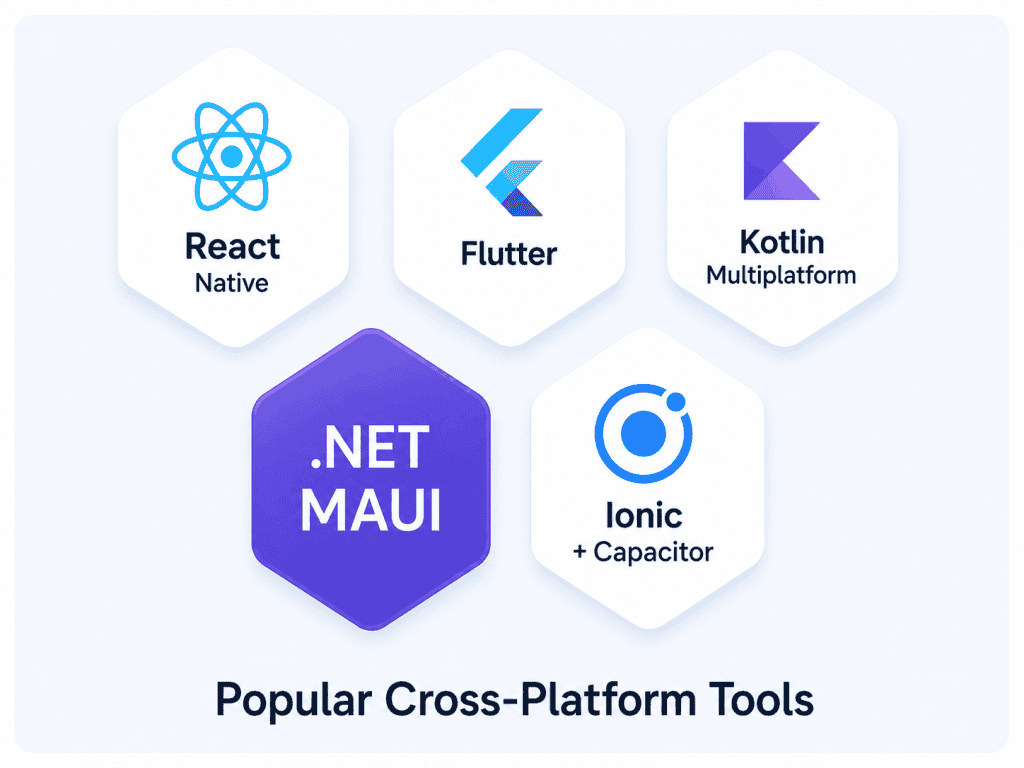
Popular mobile development tools use different languages, rendering methods, and approaches to code sharing.
The right option depends on the application’s requirements, target platforms, integrations, performance needs, and the experience of the development team.
1. React Native
React Native is an open-source framework for creating native mobile applications using React development concepts.
It is commonly used with JavaScript or TypeScript and primarily supports Android and iOS. Rather than simply displaying a website inside a mobile container, React Native renders platform-native interface components.
Developers can also connect React Native applications with native code when the project needs functionality that cannot be handled entirely within the shared layer.
React Native may be a good fit when:
✅ The team already uses React or TypeScript
✅ Android and iOS are the primary targets
✅ The product needs a native-style mobile interface
✅ A large ecosystem of packages is important
✅ The application may require custom native modules
Points to consider:
The quality and maintenance of third-party packages can vary. Complex applications may also require developers who understand native iOS and Android technologies.
2. Flutter
Flutter is Google’s multiplatform application development framework.
It uses the Dart programming language and provides its own user-interface toolkit. Flutter can target Android, iOS, web, Windows, macOS, and Linux.
Its rendering approach gives development teams a high level of control over the appearance of the application. This can be valuable for products with highly customized interfaces, branded interactions, or extensive animation.
Flutter may be a good fit when:
✅ The application requires a highly consistent visual experience
✅ Mobile, web, or desktop versions are planned
✅ The team is comfortable adopting Dart
✅ Custom interfaces and animations are important
✅ The business wants extensive code sharing
Points to consider:
Teams without Dart experience will face an initial learning curve. Developers should also confirm that required third-party services and native SDKs have reliable Flutter integrations.
3. Kotlin Multiplatform
Kotlin Multiplatform allows developers to share code across Android, iOS, web, desktop, and server environments.
Teams commonly use it to share:
✅ Business logic
✅ Networking
✅ Data models
✅ Data storage
✅ Validation
✅ Application services
Developers can retain native user interfaces when platform-specific experiences are important. Compose Multiplatform may also be used when sharing interface code is appropriate.
Kotlin Multiplatform may be a good fit when:
✅ Native user experiences remain a priority
✅ The team already has strong Kotlin or Android expertise
✅ Shared business logic is more important than sharing every screen
✅ The application requires close access to platform APIs
✅ An existing native application is being expanded
Points to consider:
The project may still require both iOS and Android expertise, particularly when separate native interfaces are retained. Kotlin Multiplatform is often more focused on sharing the parts of an application where duplication provides little value than on removing platform-specific development entirely.
4. .NET MAUI
.NET Multi-platform App UI, commonly called .NET MAUI, is Microsoft’s framework for building native mobile and desktop applications using C# and XAML.
It supports Android, iOS, Windows, and macOS through Mac Catalyst from a shared project structure.
This makes it particularly relevant to organizations already using Microsoft technologies, .NET applications, or C# development teams.
.NET MAUI may be a good fit when:
✅ The development team already works with C# and .NET
✅ The product must support mobile and Windows environments
✅ The application connects with Microsoft-based systems
✅ Enterprise development tools are preferred
✅ Shared interfaces and business logic are both valuable
Points to consider:
Its strongest fit is often within the Microsoft ecosystem. Businesses should confirm that the libraries, device features, and third-party services required by the application are well supported.
5. Ionic and Capacitor
Ionic is a user-interface toolkit for creating applications with HTML, CSS, and JavaScript.
It can be used with frameworks such as Angular, React, and Vue. Ionic commonly works with Capacitor, a cross-platform native runtime that brings web applications into native iOS and Android projects while providing access to device capabilities through plugins and native SDKs.
The same application may also be delivered as a progressive web app.
Ionic and Capacitor may be a good fit when:
✅ The team has strong web development experience
✅ The application is content-, form-, or workflow-driven
✅ A progressive web app is also required
✅ Development speed is a high priority
✅ The organization wants to reuse an existing web application
Points to consider:
Applications with intensive graphics, complex animations, or demanding native interactions may require additional optimization or a different framework.
The interface must also be designed carefully so the product feels like a mobile application rather than a website placed inside an app container.
This comparison should be treated as a starting point rather than the sole basis for choosing a framework.
A proof of concept can help identify integration, performance, deployment, and development issues before the business commits to a full build.
How to Choose the Right Cross-Platform Framework
Define the Required Platforms
Begin with the platforms the product genuinely needs.
A business targeting only iPhone users may not gain much value from cross-platform development. A customer-facing product that needs Android, iOS, and web access may benefit significantly from shared development.
Avoid adding platforms simply because a framework supports them.
Every additional platform increases testing, deployment, and maintenance requirements.
Identify Critical Device Features
Create a list of the device features and integrations the application will require.
These may include:
✅ Camera and photo library
✅ GPS and maps
✅ Push notifications
✅ Biometric authentication
✅ Bluetooth
✅ Local storage
✅ Offline access
✅ Background processing
✅ Health or fitness data
✅ Payment services
The development team should confirm whether the framework provides reliable support for each requirement.
Important or unusual integrations should be tested through a prototype before full development begins.
Consider the Existing Technology Stack
The team’s current skills can influence development speed, maintainability, and code quality.
A React-based team may be productive with React Native. A Microsoft-focused organization may prefer .NET MAUI. An Android-focused team may find Kotlin Multiplatform a natural extension of its existing expertise.
The decision should not be based on familiarity alone, but existing knowledge can reduce training time and technical risk.
Evaluate Performance Requirements
Determine whether the application has standard business requirements or specialized performance demands.
The following products are often suitable for cross-platform development:
✅ Booking systems
✅ E-commerce applications
✅ Customer portals
✅ Membership platforms
✅ Content applications
✅ Internal workflow tools
✅ Business dashboards
✅ Field-service applications
Products involving real-time graphics, advanced video processing, intensive hardware access, or strict latency requirements need more extensive evaluation.
A technical prototype can help determine whether the selected framework meets the application’s performance expectations.
Review Third-Party Integrations
Many mobile applications depend on external platforms, including:
✅ Payment gateways
✅ Customer relationship management systems
✅ Analytics platforms
✅ Mapping services
✅ Authentication providers
✅ Communication tools
✅ Industry-specific software
✅ Cloud storage
✅ Enterprise systems
Before selecting a framework, confirm that these services offer reliable SDKs, APIs, or community-supported packages for the chosen technology.
A missing or poorly maintained integration can create significant additional development work.
Plan for Long-Term Maintenance
The fastest or cheapest framework for the first release may not be the best option for the next several years.
Consider:
✅ Framework stability
✅ Upgrade processes
✅ Developer availability
✅ Community and vendor support
✅ Plugin quality
✅ Security updates
✅ Testing requirements
✅ Future product features
✅ Migration difficulty
The objective is not simply to launch the application. It is to create a maintainable product that can continue to evolve with the business.
When Should You Use Cross-Platform Development?
Cross-platform development is often a strong option when:
✅ The application must launch on both iOS and Android
✅ Time to market is important
✅ The business has a limited initial development budget
✅ Most features will be similar across platforms
✅ The product is an MVP or early-stage application
✅ The app uses common device capabilities
✅ The organization wants centralized maintenance
✅ Mobile, web, or desktop versions may be required later
Common examples include e-commerce applications, booking platforms, customer portals, membership systems, business dashboards, educational products, internal applications, and field-service tools.
When Is Native Development a Better Choice?
Native development may be more appropriate when:
✅ The application requires maximum control over platform-specific performance
✅ It relies heavily on specialized hardware
✅ Platform-specific interaction is central to the product
✅ Immediate access to newly released operating-system features is essential
✅ The application performs complex tasks continuously in the background
✅ Different experiences are planned for iOS and Android
✅ The organization already has established native development teams
A mixed approach is also possible.
Some businesses share most of the application while creating selected features in native code. Others use Kotlin Multiplatform to share business logic while retaining platform-specific interfaces.
The decision does not always have to be entirely cross-platform or entirely native.
How to Make a Cross-Platform App Successful
Choosing a framework is only one part of the process.
Successful cross-platform app development also requires careful planning, user-experience design, architecture, testing, security, and deployment.
Start With Product Requirements
Define the users, business goals, core workflows, integrations, and success metrics before selecting the technology.
The framework should support the product strategy rather than determine it.
Design for Mobile Users
A desktop interface should not simply be reduced to fit a phone screen.
Mobile design should account for:
✅ Touch interactions
✅ Smaller screens
✅ One-handed use
✅ Interruptions
✅ Slow internet connections
✅ Accessibility
✅ Clear navigation
✅ Shorter forms
✅ Device permissions
Allow for Platform-Specific Adjustments
Code sharing should be treated as a tool, not an absolute requirement.
A small amount of platform-specific work may create a significantly better user experience. Development teams should share code where it improves efficiency and adapt it where platform differences matter.
Test Early on Real Devices
Emulators are useful during development, but they cannot reproduce every hardware, performance, notification, or permission issue.
Important workflows should be tested on physical devices throughout the project, not only immediately before launch.
Build Security Into the Development Process
Mobile applications may store or process sensitive user, payment, location, or business information.
Security planning should cover:
✅ Secure authentication
✅ Data encryption
✅ API protection
✅ Access controls
✅ Secure local storage
✅ Dependency updates
✅ Input validation
✅ Session management
✅ Privacy requirements
Security should be considered from the beginning of development rather than added shortly before release.
Prepare for Ongoing Releases
Apple and Google regularly update their operating systems, app-store requirements, SDKs, and device capabilities.
Businesses should plan for:
✅ Framework upgrades
✅ Security fixes
✅ Regression testing
✅ App-store submissions
✅ Compatibility testing
✅ Third-party integration updates
✅ Performance monitoring
A mobile application is an ongoing product, not a one-time development project.
Cross-platform app development can help businesses reach more users, reduce duplicated work, and bring digital products to market more efficiently.
Its value is greatest when the application has similar requirements across platforms and the development framework is selected around real product needs.
However, a shared codebase is not a shortcut around planning, user experience, quality assurance, security, or technical expertise.
Teams still need to account for:
✅ Platform differences
✅ Device integrations
✅ Performance
✅ Accessibility
✅ Security
✅ Testing
✅ Long-term maintenance
Frequently Asked Questions
Is cross-platform app development cheaper than native development?
It can be more cost-effective because developers may reuse code, components, and business logic across multiple platforms.However, the actual savings depend on the complexity of the application, required native integrations, testing scope, security requirements, and long-term maintenance needs.
Can cross-platform apps perform as well as native apps?
Many cross-platform applications can provide strong performance for common business and consumer use cases. Applications involving intensive graphics, advanced hardware access, real-time processing, or highly specialized platform behavior may require additional native optimization or fully native development.
What is the best tool for cross-platform app development?
There is no single best tool for every application. React Native can suit teams with React experience. Flutter provides extensive control over user-interface design. Kotlin Multiplatform supports shared logic with native flexibility. .NET MAUI fits many Microsoft-based environments, while Ionic and Capacitor can work well for teams with strong web development skills. The best choice depends on the product requirements, target platforms, integrations, performance needs, and development team.
Can one codebase work on both iOS and Android?
Yes. Cross-platform frameworks allow a large portion of an application to be shared across iOS and Android. Some platform-specific code may still be required for device features, permissions, operating-system behavior, user-interface conventions, app-store requirements, or performance optimization.
How long does it take to develop a cross-platform mobile app?
There is no standard development timeline for a cross-platform mobile app. The schedule depends on the number of features, design complexity, backend requirements, third-party integrations, security needs, target platforms, testing scope, and team capacity. A dependable estimate should be prepared after product discovery and technical scoping.
🚀 Ready to turn your app idea into a scalable digital product?
At Lanex, we provide end-to-end web and mobile app development services, covering product planning, UI/UX design, development, testing, deployment, and ongoing support.
Our teams work with modern technologies such as React Native and Flutter to create scalable applications aligned with your users, goals, and technical environment.
Compare staff augmentation cost with in-house hiring and uncover the hidden expenses behind recruitment, benefits, onboarding, turnover, and team growth.
Explore the key staff augmentation benefits for growing businesses, from faster access to skilled talent to flexible scaling and better project delivery.
Learn practical steps for IP protection when outsourcing software development, including contracts, access controls, source code ownership, and offboarding.
Avoid common outsourcing mistakes with practical outsourcing tips for choosing the right partner, setting expectations, and managing software projects well.